![fldata-logo.png]](https://help.fldata.com/hs-fs/hubfs/fldata-logo.png?height=50&name=fldata-logo.png)
Dashboards are designed to save time and improve data comprehension by presenting information in a clear and accessible format.
Dashboards help you:
- Quickly view EHS metrics
- Make data driven decisions
- Reduce reliance on manual reporting
Access to dashboards is controlled by your organization’s report permissions. These permissions determine which module dashboards you can view.
If you do not see data for a module you expect, contact your system administrator.
How to Access Dashboards
To view Frontline dashboards:
- Log in to Frontline
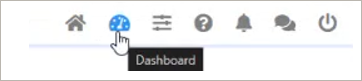
- Click the Dashboards icon in the top navigation bar
When dashboards load, you will land on the LMS dashboard by default.
You can view dashboards for other modules using the module tabs at the top of the dashboard.
Available modules include:
- LMS
- MOC
- Action Items
- Events
Select a module tab to switch views and explore additional dashboard data.
